Title: Final Fantasy X & X-2 Model viewer
Slug: final-fantasy-x-amp-x-2-model-viewer
Date: 2006-03-05 00:49:00
Tags: Final Fantasy,Tools,Videogames
The www from time to time surprises me as if I were just beginning to surf it. I've just found a Final Fantasy X & X-2 3D model and animation viewer!
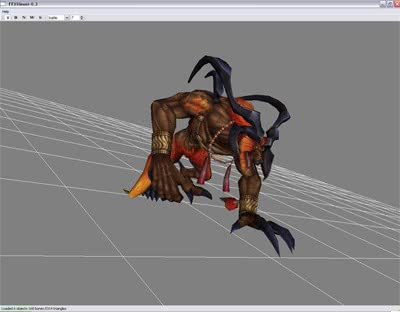
It's a bit complicated to use at first (lack of instructions...), but here are the basics:
- Create a ISO file of FFX and/or FFX-2 (I've tested FFX Eur and FFX-2 USA and works with both, so probably Jap will work too)
- Drag and drop the just created ISO into the ffxdumper.exe.
- It will start extracting lots of .FFB files into folders in the path c:\Documents and Settings\[your_user_name]\
- Move the folders wherever you want. Folder names are: mon - npc - obj - pc - sum - wep (FFX-2 hasn't got all of them)
- Drag the desired .FFB file into the ffxview.exe and the viewer will load it.
And that's all folks!